
Lesson Balance Studio
Keep students, lesson schedules, prepaid credits and payment records together in one desktop workspace.
Desktop HTML app + guides- Works with
- Modern desktop or laptop browser. Extract the ZIP and open START-HERE.html. This is not a native phone app or spreadsheet.
- Product format
- Desktop HTML app + guides
- What is included
- Working HTML app, separate fictional demo, clickable START-HERE guide, text instructions, requirements, feature tour, version history and single-business-use license.
- Delivery
- Files or access instructions through your private order link.
Backup & license
- License & returns
- Personal work or one business’s internal use. Share documents you create for students. Reselling or redistributing the application is not included. Delivery and return details
- Storage & backup
- Records save in the browser profile you use. Keep the app in a stable folder, use the same browser/profile and download dated backups after work. Clearing browser data can remove records. No automatic cloud backup or device sync.
Taxes and any discounts are confirmed at checkout. Delivery, license & return details How to request order help or a refund
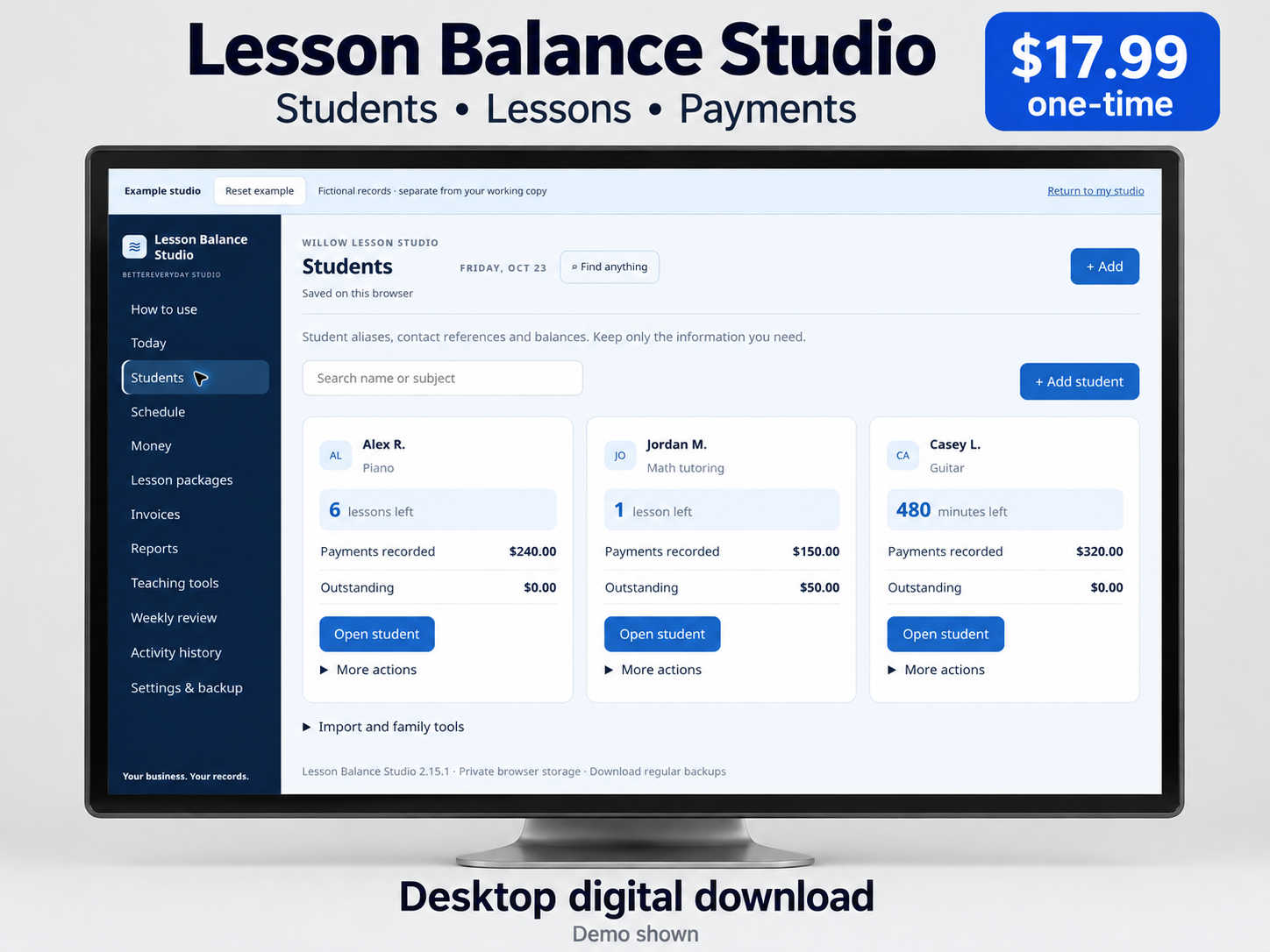
Lesson Balance Studio — cover artwork
Tap any picture for a full-screen view. Use + to zoom in and read the details.
Computer mockup featuring the app. Gallery screenshots show fictional example records.
Is this the right tool for you?
- Best fit
- For tutors and music teachers
- Device & software
- Modern desktop or laptop browser. Extract the ZIP and open START-HERE.html. This is not a native phone app or spreadsheet.
- What to expect
- Plan lessons, track attendance and lesson or minute packages, create invoices, and record payments and refunds. Review booking suggestions and reminder drafts before using them. No payment processing, automatic messages or cloud sync.
A clear view of your teaching business.
Plan lessons, track attendance and lesson or minute packages, create invoices, and record payments and refunds. Review booking suggestions and reminder drafts before using them. No payment processing, automatic messages or cloud sync.
What you get.
- Working HTML app, separate fictional demo, clickable START-HERE guide, text instructions, requirements, feature tour, version history and single-business-use license.
Digital files or access instructions are supplied with your purchase. Required software, devices, printing, and physical materials are separate unless explicitly included above.
Start here after purchase
- Find your purchase
Open your receipt email or private order page and save the files or access instructions.
- Open Lesson Balance Studio
Extract the ZIP and open START-HERE.html. Follow How to use one step at a time, or explore the separate fictional demo.
- Try your first task
Add a student, create a lesson package, plan a lesson and record a payment you have already received. Download a dated backup after your workday.
Questions about Lesson Balance Studio
What can I use it for?
Plan lessons, track attendance and lesson or minute packages, create invoices, and record payments and refunds. Review booking suggestions and reminder drafts before using them. No payment processing, automatic messages or cloud sync.
Which device or software do I need?
Modern desktop or laptop browser. Extract the ZIP and open START-HERE.html. This is not a native phone app or spreadsheet.
What is supplied with my purchase?
Working HTML app, separate fictional demo, clickable START-HERE guide, text instructions, requirements, feature tour, version history and single-business-use license.
How do I store and back up my work?
Records save in the browser profile you use. Keep the app in a stable folder, use the same browser/profile and download dated backups after work. Clearing browser data can remove records. No automatic cloud backup or device sync.
Version, updates & support
Product version: 2.15.1
Updates
This purchase includes version 2.15.1. Future updates are not guaranteed.
Support
For order or supplied-file questions, use the contact option on the store where you purchased. Include the product name, version and order reference. Keep student and payment details private.
Ask a question about this productLicense, delivery & returns
Delivery
Use your receipt email and private order page to get your files or access instructions. Follow the included setup guide before entering your own information.
License
Review the included license and live store listing. Downloadable tools may not be redistributed or resold.
Order help & return requests
For missing files, access problems, or a product that differs from its description, contact the studio with the product name and order reference. We review the issue against the purchase terms and applicable consumer rights. Eligibility depends on those terms.
Is this your best fit?
Related products
Questions before or after buying?
Ask about the format or a feature before you choose. After purchase, keep your receipt and follow the included setup instructions.